🏢 Enterprise SaaS & Asset Auditing Suite
Enterprise Fixed Asset Management Software | Track, Audit & Automate Depreciation
Fixed asset management software helps businesses maintain accurate asset records, track asset movements, automate depreciation and simplify the management of fixed assets throughout their lifecycle. Additionally, DSK Global Solutions offers a comprehensive solution that combines software capabilities with professional physical verification and asset tagging services.
🔒 Secure Your Consultation • Custom Data Migration Assessment • No Obligation
| Asset Category |
Branch |
Status |
| Plant & Heavy Machinery |
Mumbai Plant |
Verified |
| IT Infrastructure |
Corporate HQ |
Synced |
| Office Equipment |
Pune Branch |
Auditing |
Centralized Register • Barcode/QR Scanning • Multi-Branch MIS
Key Features of Our Fixed Asset Management Software
📋
1. Centralized Fixed Asset Register with Fixed Asset Management Software
Maintain a centralized record of your organization’s fixed assets across branches, departments and locations. For example, you can capture essential information such as asset descriptions, serial numbers, purchase costs, suppliers, locations, cost centres and warranty details. Import existing asset records through Excel templates and maintain organized asset information for better tracking, reporting and audit preparation.
🔄
2. Asset Tracking & Movement with Fixed Asset Management Software
Track fixed assets across different departments, branches and business locations in real time. Therefore, you can easily record asset transfers, department changes, location updates, splitting and relocation to maintain accurate asset records. Role-based user access helps manage permissions across teams, while centralized asset information improves visibility and accountability throughout the asset lifecycle.
📊
3. Automated Depreciation & Cost Management with Fixed Asset Management Software
Simplify fixed asset depreciation calculations using both Straight Line Method (SLM) and Written Down Value (WDV). Additionally, maintain depreciation schedules and track additional asset-related expenses to support accurate financial reporting, asset valuation and accounting processes. Simplify depreciation management while keeping your asset records organized and accessible.
🛡️
4. Asset Lifecycle & Maintenance Management with Fixed Asset Management Software
Manage fixed assets throughout their lifecycle, from acquisition and allocation to maintenance and eventual disposal. For instance, maintain information relating to annual maintenance contracts (AMC), warranties and insurance renewals. Keep track of asset servicing requirements, maintenance history and disposal records to improve asset utilization and operational control.
📱
5. Barcode/QR Tagging & Mobile Verification
Identify and track fixed assets using barcode or QR code tagging. As a result, you can use DSK’s mobile application on Android and iOS devices to scan asset tags, access asset information and support physical verification activities. Compare verified asset details with existing records to identify discrepancies, missing assets and location changes. DSK also provides professional on-site physical verification and asset tagging services for organizations with large asset inventories.
📈
6. Asset Reporting & MIS via Fixed Asset Management Software
Access useful fixed asset reports and management information to monitor asset distribution, values, depreciation and movement. Consequently, generate reports to support internal reviews, financial reporting, reconciliation and audit preparation. Organized asset information helps management gain better visibility into the organization’s fixed asset portfolio and make informed decisions.
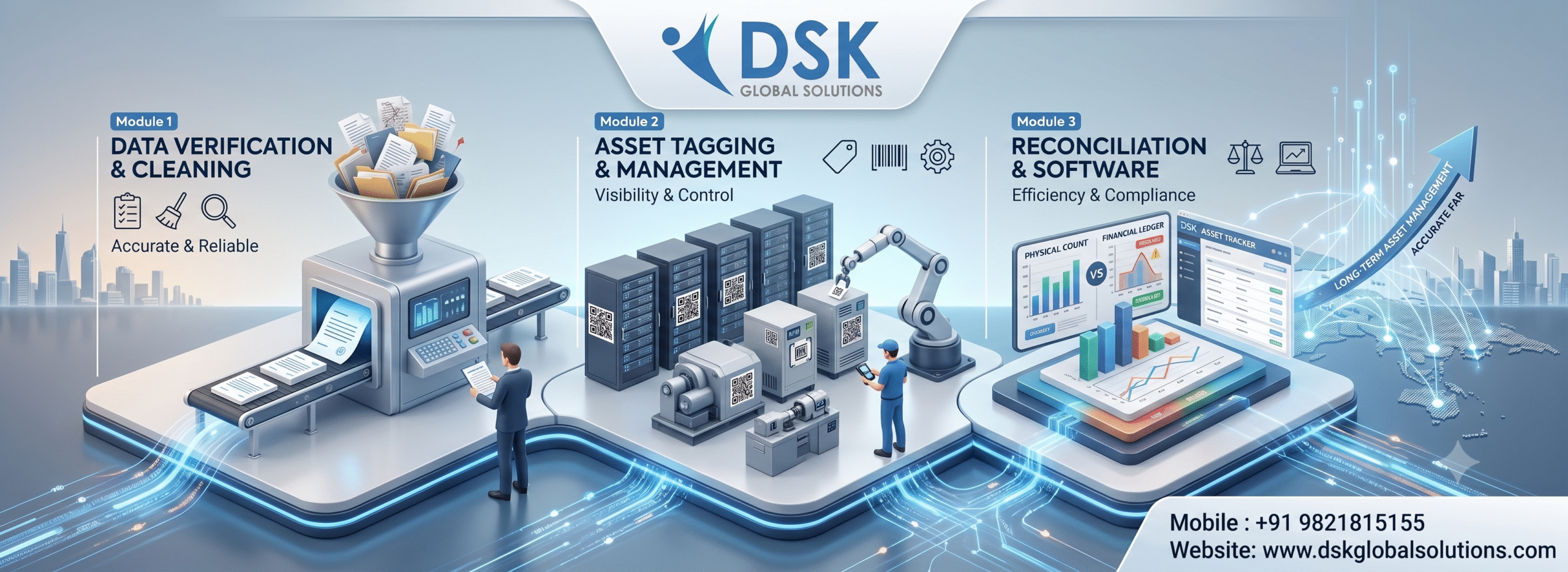
Bridging software-based asset management with professional physical verification and tagging.
Fixed Asset Management Software for Different Industries
Our fixed asset management solution supports organizations across different industries by helping them maintain accurate asset records, monitor equipment allocation and improve control over their fixed asset portfolios:
🏭
Manufacturing Plants
Manufacturing enterprises use fixed asset management software to oversee heavy machinery, assembly line equipment, plant tools and assets distributed across multiple shop floors. Centralized asset records help businesses monitor equipment allocation, maintain accurate asset information and support better asset utilization and maintenance planning across large manufacturing facilities.
🏥
Healthcare & Hospitals
Hospitals and healthcare facilities use fixed asset management software to monitor medical diagnostic equipment, surgical devices, calibration schedules and inter-departmental allocations. Maintaining accurate asset records helps healthcare organizations track equipment locations, monitor maintenance requirements and maintain better control over valuable medical equipment across departments.
🏢
Corporate & IT Parks
Corporate enterprises and IT parks manage employee laptops, office infrastructure, access control hardware and assets distributed across multiple branches. Fixed asset management software simplifies tracking of movable technology assets, monitors warranty details and maintains organized asset registers across corporate workstations, departments and regional offices.
⚙️
Chemical, Textile & Processing Industries
Chemical, textile and processing businesses manage machinery, production equipment, utility assets and tools across multiple operational areas. Fixed asset management software helps maintain centralized asset records, track equipment locations and movements, manage depreciation using SLM and WDV methods, and improve visibility into assets across production facilities.
Fixed Asset Management Software vs. Excel and Legacy ERP
Technical Specifications & Security of Our Fixed Asset Management Software
🛡️ Security & Access
Role-Based User Access:
Manage user permissions across different teams and departments.
Audit Logs:
Maintain records of asset-related changes to support monitoring, accountability and audit preparation.
⚙️ Deployment & Compatibility
Flexible Deployment:
Choose cloud-hosted web access or dedicated local Windows server deployment, depending on your organization’s requirements.
Mobile Compatibility:
Use DSK’s mobile applications on Android and iOS devices for asset scanning and verification.
Data Import & Migration:
Import existing asset information using supported Excel templates. Data migration requirements, scope and timelines are assessed separately based on data volume and complexity.
📋 Better Audit Preparation
Maintain organized asset records, depreciation schedules and change logs to support statutory audit preparation under the Companies Act and Income Tax Act.
🔍 Reduced Reconciliation Effort
Simplify asset reconciliation through centralized registers and physical verification data captured via mobile barcode/QR scanning.
🛡️ Improved Asset Accountability
Identify discrepancies, monitor asset movements between branches and maintain strict control over organizational fixed assets throughout their lifecycle.
Tailored for Your Department’s Objectives Using Fixed Asset Management Software
💼 For Chief Financial Officers (CFOs)
Streamline statutory audit preparation for the Companies Act and Income Tax Act, improve visibility into asset records and discrepancies, and support more organized year-end financial reporting across branches.
💻 For IT & Operations Managers
Deploy the fixed asset management software through a structured implementation process. Existing asset data migration can be planned separately based on your organization’s data volume, format and complexity. The solution also supports mobile barcode scanning and role-based user access.
Our 3-Step Enterprise Implementation Roadmap for Fixed Asset Management Software
DSK follows a structured implementation approach to help organizations configure their fixed asset management software, establish user access and prepare teams to manage asset records efficiently.
Step 1
📋
Requirement Assessment & Data Preparation
We understand your organization’s asset management requirements, review the available asset records and identify the information needed for software configuration. Existing Excel records can be assessed for compatibility and readiness. Data migration requirements, scope and timelines are evaluated separately based on data volume, format and complexity.
Step 2
⚙️
Software Configuration & Deployment
Configure the software according to your organization’s requirements, including asset categories, depreciation settings using SLM and WDV methods, user access permissions and reporting preferences. Set up the applicable software environment and mobile application access for authorized users.
Step 3
🚀
User Training & Go-Live
Provide practical guidance to finance, IT and operations teams on managing asset records, tracking asset movements, using mobile scanning features and accessing reports. Following configuration and agreed implementation activities, the software is prepared for operational use.
Implementation Timeline: For standard software deployments, implementation can typically be completed within 1–2 weeks, subject to timely receipt of the required information, configuration requirements and user availability. This timeline excludes separately scoped data migration and physical asset tagging activities.
Accounting & Statutory Compliance with Fixed Asset Management Software
DSK Fixed Asset Management Software helps organizations maintain structured fixed asset records, calculate depreciation using SLM and WDV methods, and organize asset information for financial reporting and audit preparation. It supports finance teams in managing asset information while statutory accounting and tax treatments remain subject to applicable regulations, referencing standards set by the Ministry of Corporate Affairs (MCA), and professional review.
📋 Companies Act & Fixed Asset Records
Maintain organized fixed asset information, including asset costs, additions, disposals, locations and depreciation details. These records help finance teams review asset information and prepare supporting data for financial reporting and audit requirements.
📊 Income Tax & Depreciation Management
Maintain depreciation information using the Written Down Value (WDV) method to support tax-related reviews and financial records. Income-tax depreciation calculations are subject to applicable block-of-assets provisions, rates and tax rules.
⚙️ Accounting Depreciation – SLM & WDV
Support depreciation calculations using both Straight Line Method (SLM) and Written Down Value (WDV). Maintain organized depreciation information to assist finance teams with accounting reviews and asset valuation.
🔍 Audit Preparation & Asset Accountability
Centralized asset records, role-based access and asset-related change logs help finance teams monitor asset information, review changes and prepare for internal and statutory audits. Final verification, accounting treatment and statutory reporting remain the responsibility of the organization and its professional advisors.
Built-In Software Modules & Sub-Systems
For example, you can explore specialized sub-systems built into DSK Fixed Asset Management Software to streamline compliance and operations:
📊 Depreciation & Tax Engine
Automate complex WDV and SLM depreciation schedules compliant with the Companies Act and Indian Income Tax Act.
📱 Mobile Barcode Scanning
Empower field and warehouse teams to conduct physical verification audits seamlessly via Android and iOS devices.
🔔 AMC & Insurance Alerts
Never miss a renewal date with automated tracking for insurance policies, equipment warranties, and annual maintenance contracts.
Frequently Asked Questions (FAQs) About Fixed Asset Management Software
Does the software support both SLM and WDV depreciation methods?
Yes, our system natively calculates depreciation under both Straight Line Method (SLM) and Written Down Value (WDV) parameters, customized to corporate and tax requirements.
Can we import existing asset registers from Excel into DSK software?
Yes. The software supports importing asset information using supported Excel templates. Any data cleansing, mapping, conversion or assisted migration beyond template-based import is assessed and scoped separately based on data volume, format and complexity.
How does physical verification work with mobile devices?
Our mobile app allows users to scan asset barcodes offline or online. Scanned data syncs directly back to the central server, instantly highlighting discrepancies or unmapped items. For professional on-site execution, explore our Fixed Asset Verification Services.
How long does it take to implement DSK Fixed Asset Software?
For standard software deployments, implementation can typically be completed within 1–2 weeks, subject to timely receipt of the required information, configuration requirements and user availability. This timeline excludes separately scoped data migration and physical asset tagging activities.
Is the software cloud-based or on-premise?
DSK system is available in flexible deployment models, including secure cloud hosting for anytime, anywhere multi-branch access as well as dedicated local server setups.
Need Detailed Software Specifications for Your Board or Audit Committee?
Download our complete Feature Brochure & Companies Act Compliance Checklist to review technical architecture, WDV/SLM modules, and pricing models offline with your finance and IT teams.
Ready to Automate Your Fixed Asset Tracking With DSK Enterprise Solutions?
Schedule a personalized walkthrough with our enterprise solutions team to see how DSK can protect your bottom line.
🔒 Secure Your Consultation • Custom Data Migration Assessment • No Obligation