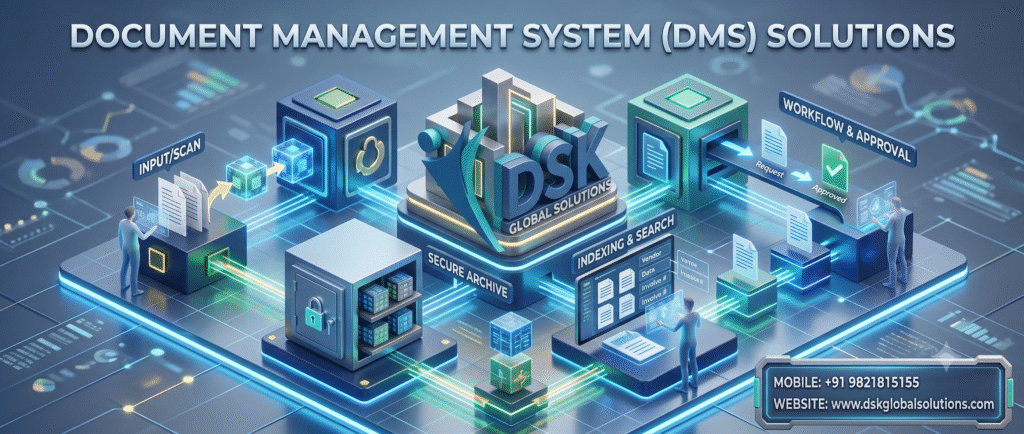
Document Management System (DMS) Software Solutions
Digitize, Automate, and also Secure Your Enterprise Documents with Intelligent Workflow Management using DSK Document Management System (DMS) Software
For Detailed Brochure & Demo
Call Us: CLICK HERE
Email Us: CLICK HERE

What is a Document Management System (DMS) Software?
A Document Management System (DMS) is an enterprise-grade software platform that enables organizations to capture, digitize, organize, store, and moreover, track physical and electronic documents securely.
From vendor invoices, legal contracts, and work orders to HR files and financial records, the DSK Document Management System replaces slow, manual paperwork with a centralized, searchable digital repository, moreover, allowing accessible anywhere via secure cloud or on-premise deployments.
Key Challenges with Traditional Document Handling
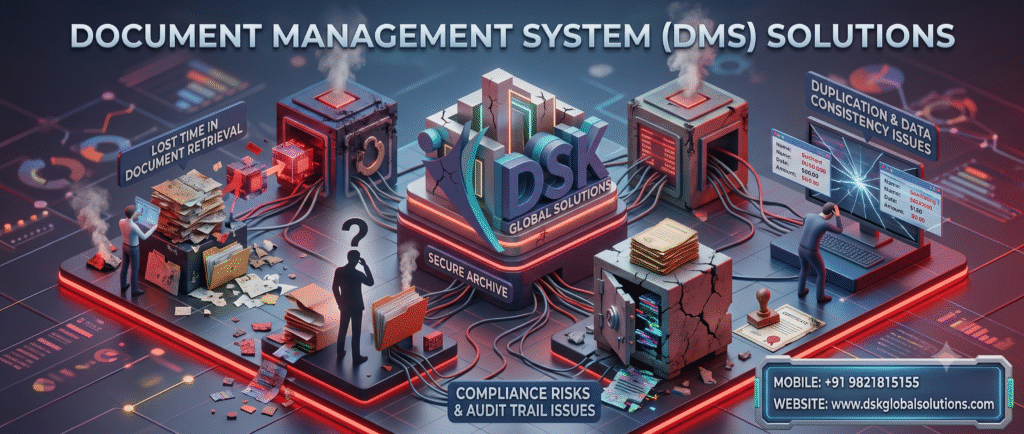
Key Challenges with Traditional Document Handling
Consequently, managing physical paperwork and disorganised file shares leads to severe operational bottlenecks.
-
Time-Consuming File Retrieval: Employees spend hours searching through physical filing cabinets or fragmented network folders to locate critical records.
-
Manual Data Entry Errors: Also, Manually typing data from paper forms into core business systems leads to high error rates and duplicate efforts.
-
Compliance & Audit Risks: Misplaced invoices, contracts, or tax records create compliance vulnerabilities during statutory and internal audits.
-
Lack of Version Control: Moreover, Multiple team members editing documents via email attachments often leads to data loss, conflicting file versions, and broken audit trails.
-
High Storage & Real Estate Costs: Storing physical paper records occupies costly office floor space and requires expensive off-site archiving.
Document Management System (DMS) Software
How DSK Document Management System Solves These Challenges
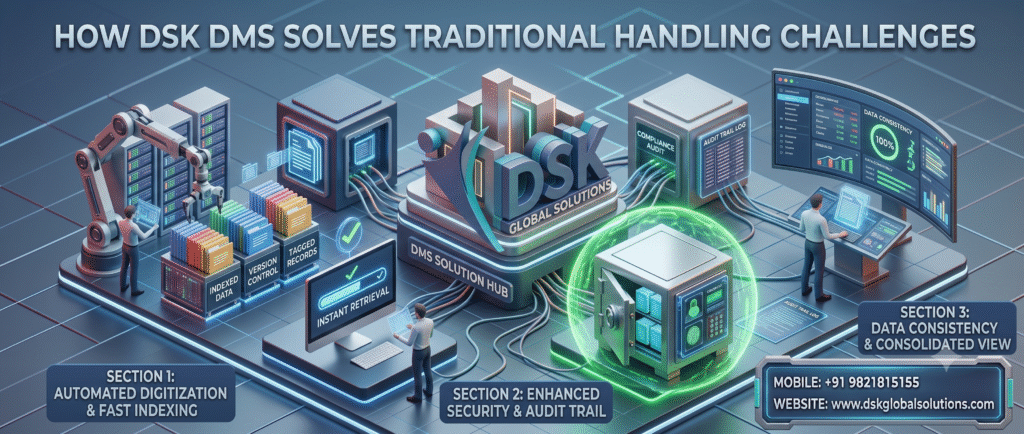
How DSK DMS Software help resolve challenges
Moreover, the DSK DMS platform automates the entire document life-cycle from capture to long-term archiving:
-
Instant Search & Retrieval: Locate any document within seconds using full-text search, metadata tagging, and customizable indexing.
-
Automated OCR & ICR Data Extraction: Use Optical Character Recognition (OCR) and Intelligent Character Recognition (ICR) to read scanned text automatically, eliminating repetitive manual data entry.
-
System-Driven Approval Workflows: Route purchase orders, expense claims, and contracts through customizable, multi-level approval hierarchies.
-
Audit-Ready Version Tracking: Automatically maintain complete revision histories, tracking who accessed, edited, or approved each document.
-
Disaster Recovery & Redundancy: Protect critical business records with encrypted cloud backups, role-based access control, and built-in disaster recovery (DR) protocols.
-
Cost & Space Optimization: Transition to a paperless office to reclaim prime commercial office space and reduce paper-handling overhead.
Core Features of DSK Document Management System (DMS) Software
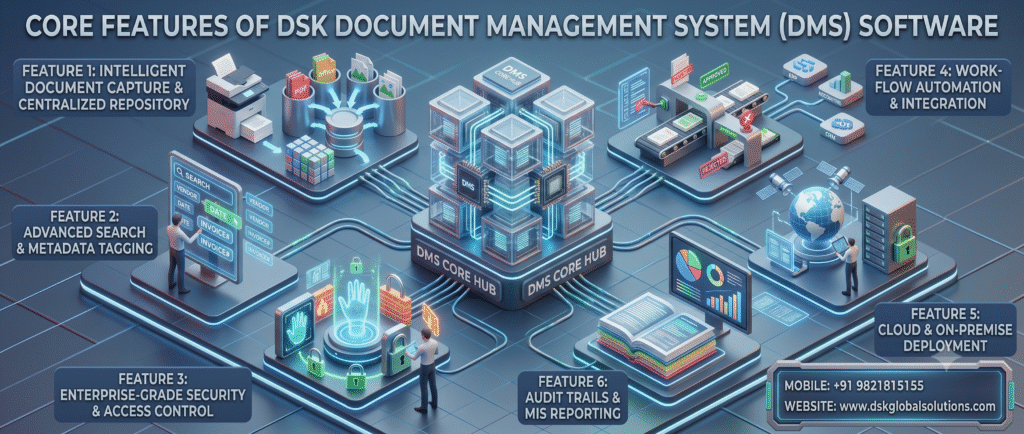
Core Features of DSK DMS Software
1. Intelligent Document Capture & Centralized Repository
-
Additionally, high-volume batch scanning with automated indexing.
-
Additionally, centralized storage for scanned PDFs, Microsoft Office files, images, and email records.
-
Additionally, bespoke page-type classification and hierarchical folder structuring are provided.
2. Advanced Search & Metadata Tagging
-
Full-text search inside scanned PDFs and image files via built-in OCR.
-
Multi-parameter filtering using custom tags (e.g., Vendor Name, Date, Invoice Number, Department).
-
Additionally, there is an in-browser document preview without requiring external software downloads.
3. Enterprise-Grade Security & Access Control
-
Granular, role-based permission settings at the department, folder, or individual document level.
-
Additionally, secure document download restrictions, digital watermarking, and view-only permissions.
-
AES-256 encryption at rest and SSL/TLS encryption in transit.
4. Workflow Automation & Integration
-
Additionally, configurable multi-step approval workflows with automated email notifications and reminders.
-
Seamless integration with ERP systems, accounting software (including Tally), and CRM platforms.
-
Additionally, complete digital audit trails and MIS reports monitor user activity and document status.
Deployment Options for Document Management System (DMS) Software
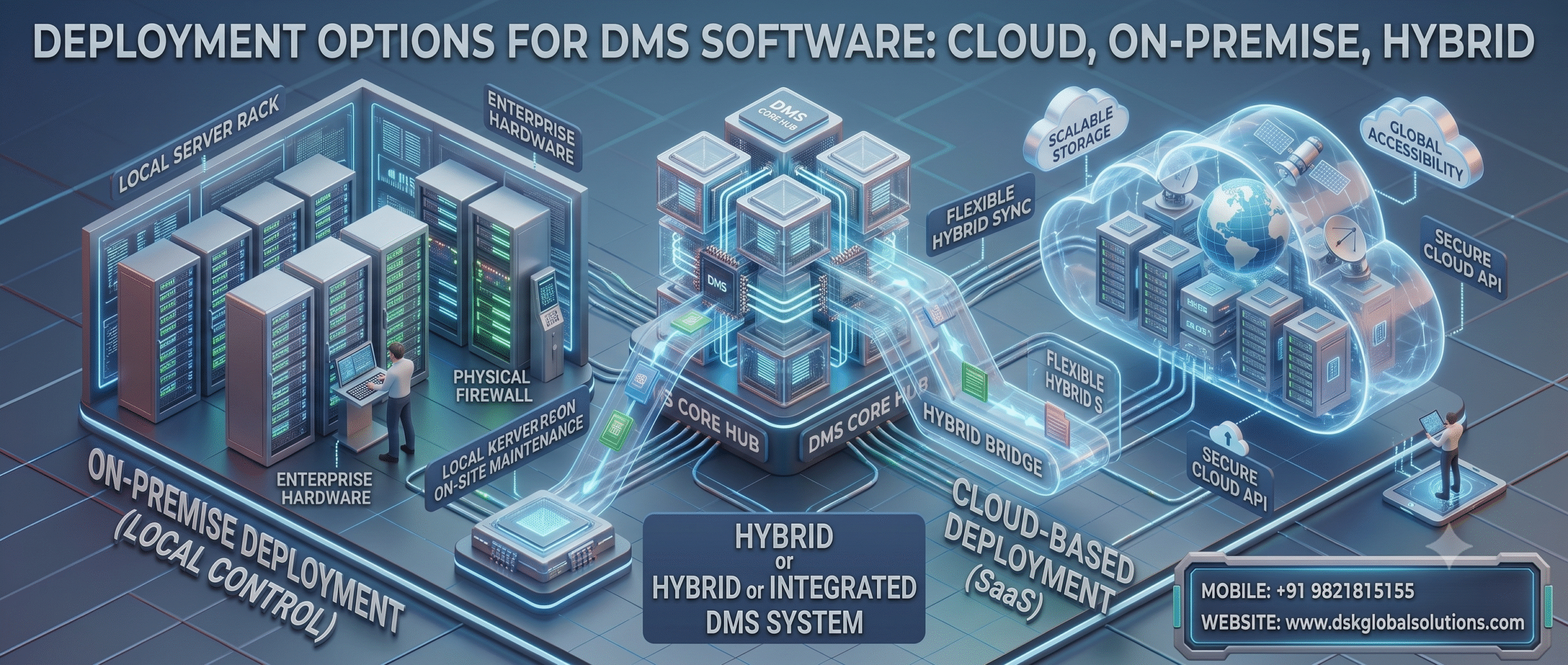
Deployment Options of DMS Software
-
Cloud-Based DMS (SaaS): Hosted on high-availability, secure cloud infrastructure with zero maintenance overhead and remote browser access.
-
On-Premise Deployment: Installed directly on your internal enterprise servers for total control over local data governance and internal policies.
Frequently Asked Questions (FAQ)
What types of documents can be managed within the DMS?
The DSK Document Management System handles any digital or paper-based document, including supplier invoices, customer contracts, employee records, purchase orders, technical drawings, tax filings, and emails.
Can the software extract data automatically from scanned physical files?
Yes. Additionally, our DMS includes OCR and ICR engines that scan documents, extract text and data, and populate index fields automatically.
How does the system ensure document security and privacy?
Additionally, the platform enforces access controls, audit logging, and encrypted storage to ensure only authorized personnel view or edit files.
Does DSK Global Solutions provide on-site implementation and training?
Yes. We offer complete implementation, data migration, workflow configuration, and team training across Mumbai, Pune, Delhi NCR, Bangalore, and all major commercial centres across India.
Ready to Digitize and Streamline Your Document Workflows?
Additionally, transform your paper-intensive operations into an efficient, secure, and paperless digital workplace using DSK Document Management System (DMS) Software.
As a result, people who are processing such docs have to physically find them for process. Thus they use lot of time in locating such documents. Customer many a time are not able to locate required document in time. This results in the following
- Delay to locate documents which also mean more time taken to
- Process cost also more
- In addition there could be comply issues as users are not able to find documents in time
- Duplicate of work further more as every process requires data to be manual entered and work upon
- Costly real estate space occupied for storing of hard copies also
For Detailed Brochure
Call Us: CLICK HERE
Email Us: CLICK HERE
Fixed Assets Management Software
Export Documentation Software
HR Payroll Software